Data flow
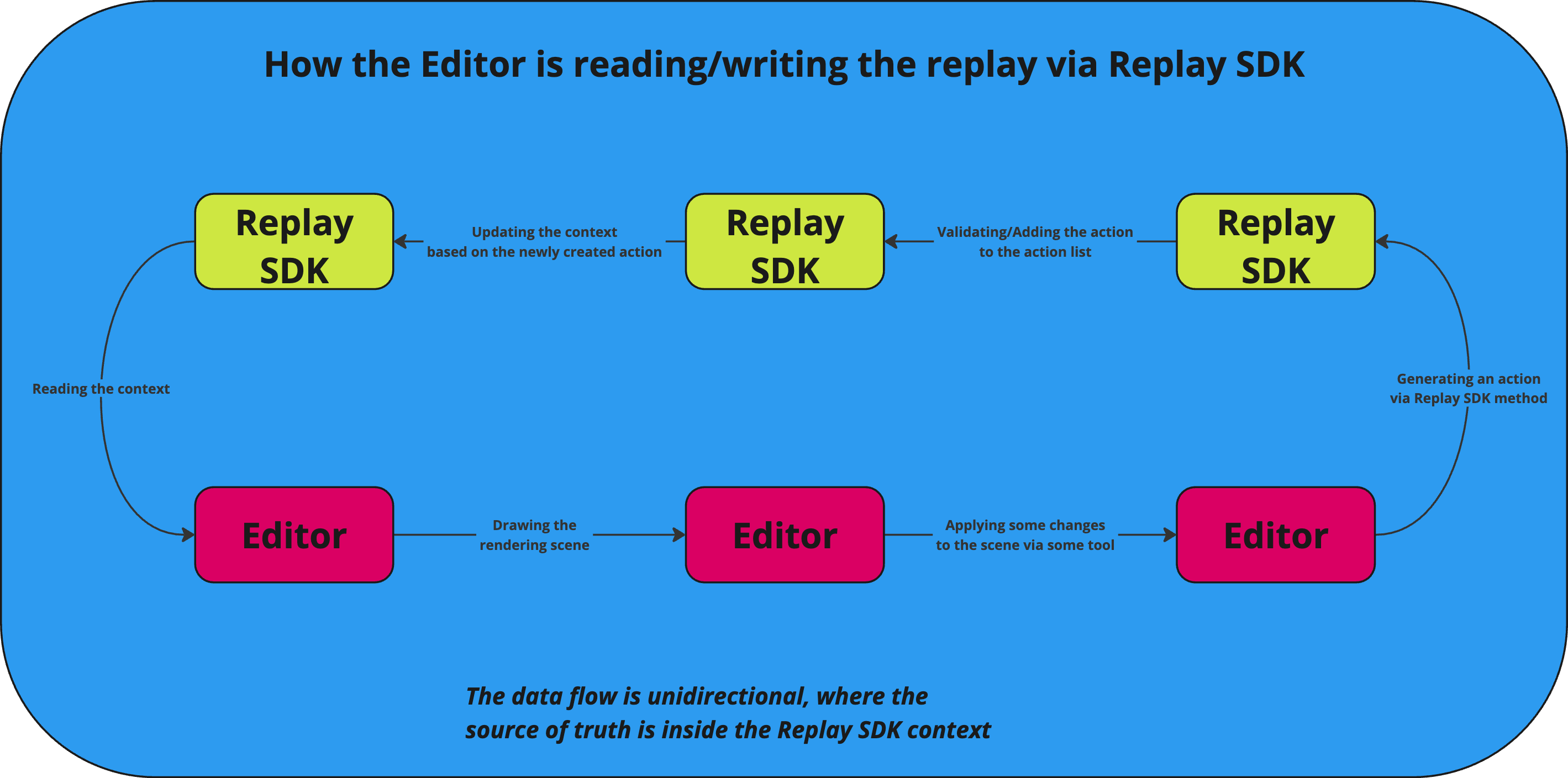
The data flow between an Editor and a Replay SDK. The Editor is used to read and write replay actions.
Reading the Context: Initially, the Editor reads the existing context from Replay SDK. This involves fetching or interpreting the current state or data that the Editor has been working with.
Drawing the Rendering Scene: After the context is read, the Editor uses this data to draw or render the scene. This step involves visually updating the user interface or output based on the current state.
Applying Changes via Some Tool: Within the Editor, changes are made to the scene using various tools (like modifying elements, adding new layers, etc.). These changes are intended to alter the current rendering or state.
Generating an Action via Replay SDK Method: Once changes are applied in the Editor, these changes are translated into actions via methods provided by the Replay SDK. This step transforms the changes into a Replay format.
Validating/Adding the Action to the Action List: The generated action is then sent back to the Replay SDK, where it is validated and added to the action list. This list tracks all actions made during a session, which can be replayed or reviewed later.
Updating the Context Based on the Newly Created Action: After the action is validated and added, the Replay SDK updates its context accordingly. This updated context now serves as the new 'source of truth' for subsequent operations.
Replay SDK Feeds Back to Step 1: The updated context in the Replay SDK then cycles back to the beginning of the process, influencing how the Editor reads the context for the next series of operations.
The data flow is unidirectional, where the source of truth is consistently maintained inside the Replay SDK context. This design ensures that all changes and actions are centrally managed and can be reliably tracked and replayed by the SDK.